 browserdj
DJ software,
written by DJs.
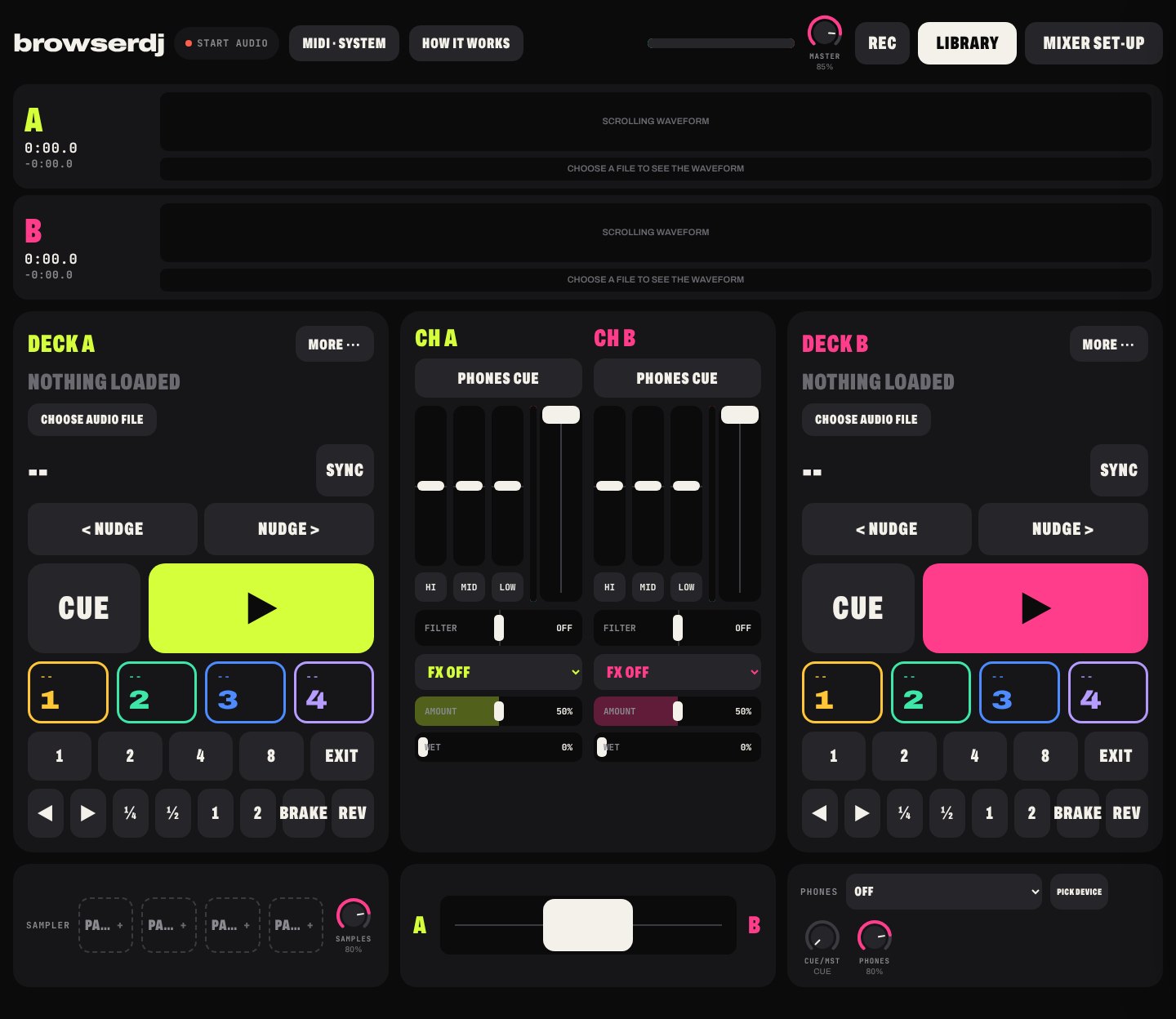
DJ software no longer has to be bought. When anyone can describe a tool and have it built, the instrument becomes as personal as the record bag. browserdj is the place to start: two decks and a mixer that run in the browser, open source, free to play tonight and free to rebuild tomorrow.
Every feature runs in Chrome and Edge on desktop. Firefox and Safari mix without MIDI and some output routing; details below. Not designed for phones.
How DJing is changing
For twenty years the software came from a handful of companies, sold by licence and paired with hardware built to suit it. The tools set the limits of what a mix could be, and the DJ worked inside them.
That arrangement is ending. AI coding assistants now turn a plain description into working software, and hardware makers have started publishing their firmware so that the people who play their equipment decide what it does. The cost of making a DJ tool is falling towards nothing, and with it the reason to pay for one.
What comes next is software shaped by the people who use it: a loop mode built for one style of music, an effect that exists in no catalogue, a layout designed around one controller and one way of playing. The creative ground moves from choosing a platform to deciding what the instrument should be.
browserdj exists to get you there. It is a complete, working set of decks, published openly under the MIT licence, that you can play as it stands and change as far as you like. There is no tier to unlock and nothing to buy, now or later.
No licence, no subscription, no locked features. A web page rather than a package, with no installer and no forced update before a set. Once loaded it runs offline.
The whole console is plain HTML and JavaScript with no build step. Take a copy, describe a change to an AI assistant, refresh and listen. The Build page sets out how.
Controller mappings, features and whole new versions go back into the commons, and anyone can host their own. Your music never leaves your machine while you do it.
The starting point
What you get before changing a line: two decks, a mixer and a library, engineered around the parts of a mix that are heard, which are phase, low end, transitions and the timing of effects.
Phase, held
Tempo is measured to two decimal places and the grid placed as a track loads. Sync locks phase to the master deck rather than approximating tempo, with nudge, key lock and beat jump for manual control.
Four mixers in one
A club isolator with true full kills, a shelving EQ, a four-band layout and a battle configuration with a sharp crossfader cut. Fader and crossfader curves follow each profile.
Cues and loops
Four hot cues per track, quantised to the grid and recalled on reload. Loops from one to eight beats, manual in and out, rolls, beat jump and slip.
Effects in time
Echo and gate run at the deck's tempo, alongside reverb, phaser, flanger, crush and a noise sweep, with a resonant filter, brake and reverse on each channel.
A library that reads keys
Tempo, key and loudness are analysed once per track and kept locally. Filter by tempo and Camelot key, or let Mix order propose a running order built on small tempo moves between compatible keys.
Mapping without menus
Known controllers are detected and configured. Anything else is mapped in a guided pass, control by control, with shift layers, 14-bit faders and LED feedback. Mixxx mappings import directly.
Cueing
Pre-fader cue on every channel, on a split output, a second audio device or outputs three and four of a four-channel interface.
Recording and tracklists
Mixes record from the master to WebM or lossless WAV. The tracklist is logged as you play, each track entered once it has held the mix at full level for a minute, ready for Mixcloud, SoundCloud or YouTube.
Controllers
Connect, then play. Recognised controllers load a preset; others map through the guided set-up. The list grows through presets contributed by the people who use them.
| Controller | How | Status |
|---|---|---|
| Any class-compliant MIDI controller | Guided set-up, Learn, or a preset | Works |
| Traktor Kontrol X1 MK1 | Direct over USB, no driver, lights included | In beta |
| Traktor Kontrol Z1 | Direct over USB, VU meters and cue on its headphone socket | In beta |
| Pioneer DDJ-400 and DDJ-FLX4 | Preset from the MIDI chart, verified by owners | Preset coming |
| Numark Mixtrack Pro FX and Platinum FX | Preset | Preset coming |
| Hercules DJControl Inpulse 200 and 300 | Preset | Preset coming |
| Traktor Kontrol S2 MK3 | Direct over USB, like the X1 | Planned |
| Traktor Kontrol S2 and S4, MK1 and MK2 | Direct over USB, like the X1 | Planned |
Every controller, test yours, buy used
Have one of these, or something else? Request a controller, or map yours with the guided set-up and send the preset file in. You get a credit on this page.
First-generation Traktor hardware
The Kontrol X1 MK1 and Z1 never spoke MIDI. They depended on a Native Instruments driver that no longer installs on current systems, and a generation of capable controllers has sat unused or sold for very little as a result.
browserdj communicates with them directly over USB, using protocols documented by the open-source community. Buttons, encoders, faders, LEDs and VU meters all function, with no Native Instruments software installed.
Open hardware
Manufacturers are beginning to open their equipment too. Behringer has published the firmware of its KICK sampler under the AGPL, and in October showed a prototype of an open hardware DJ console. browserdj will support open controllers as their specifications are published, so the same idea runs from the hardware through to the software.
Private by construction
Your music cannot leave your computer, because the decks have nowhere to send it. A profile is optional and holds only what you choose to publish.
Launch updates
Release notes, by email
Occasional notes on new releases, controller presets and the most interesting versions DJs have built. No more than two a month. Unsubscribe at any point.
Questions
Which browsers?
Chrome and Edge on Mac, Windows and ChromeOS support every feature, including the remembered library, MIDI, first-generation Traktor hardware and a second headphone output. Firefox and Safari mix with the full audio engine but ask for the music folder on each visit, and lack MIDI and some output routing. The console is designed for laptop screens and larger.
Where does my music come from?
Your own files, in MP3, WAV, FLAC, AAC, M4A or OGG, from any folder on your machine. The library remembers the folder. Nothing is uploaded.
Does it work with Spotify, Apple Music or YouTube?
No. Streaming services do not permit their audio to be mixed outside their own applications. An optional setting plays a YouTube video on a deck through YouTube's own player, without EQ or effects. browserdj is built around your own files.
Is there anything to buy?
No, and there will not be. There are no tiers or locked features, and no account is required to mix. The code is MIT licensed: copy it, change it and host your own version. The only thing the site asks is whether to share anonymous usage statistics, and declining changes nothing.
Can I change it without being a developer?
For many changes, yes. An AI coding assistant can read the decks' code and make a change you describe in plain terms, and the Build page sets out how to run your copy locally and test it. Work on the audio engine and the beat grid still rewards patience: listen carefully and test against tracks you know before playing out.
Can I have a DJ profile?
Optionally. Signing in with an email address creates a page at browserdj.net/u/yourname, collecting your mixes from SoundCloud, Mixcloud and YouTube in a single player alongside your decks set-up, your equipment and an optional blog. Following other DJs builds a feed of their new mixes. None of it is needed to mix.
Why in the browser?
Because a browser is the one piece of software present on almost every machine, including locked-down work laptops, Chromebooks and venue computers. There is nothing to install or maintain, and once loaded it continues to work offline.
How is this different from Mixxx?
Mixxx is the more complete free DJ application, with four decks and a broader feature set, and is worth installing where you can. browserdj covers the situations where installation is not possible, and supports first-generation Traktor hardware that Mixxx cannot drive on macOS. Mixxx mappings import directly.
What if I lose my cue points?
Cue points are stored in your browser and are removed if its site data is cleared. Backup exports cues, loops, controller mappings and settings to a single file, and Restore reinstates them on any machine.
Where do bug reports, presets and changes go?
To GitHub issues, or by email to hello@browserdj.net. Controller presets, fixes and new features are welcome as pull requests to the same repository, and versions that take their own direction are just as welcome under their own name.